

Finding the best overhead book scanners can feel overwhelming when every model promises flawless digitization. I have spent months testing overhead scanners across different use cases, from personal library projects to professional archival work. What I learned is that the right scanner depends heavily on what you are scanning, how fast you need results, and whether you care about OCR accuracy.
Overhead book scanners have changed the game for anyone who wants to digitize bound materials without destroying them. Unlike flatbed scanners that force you to press books face-down, these devices capture pages from above using a high-resolution camera mounted on an arm. This non-destructive approach is exactly why archivists, genealogists, and home users alike have moved to overhead designs.
Our team compared eight of the most popular overhead book scanners available in 2026. We looked at resolution, OCR accuracy, scanning speed, lighting systems, and software reliability. We also paid attention to the pain points that forum users on r/BookScanner and r/Archivists consistently mention, things like workflow bottlenecks and clunky software interfaces.
Whether you need a budget-friendly document camera for occasional scanning or a professional-grade book scanner for a 500-book digitization project, this guide breaks down exactly which model fits your needs. Let me walk you through what we found.
Our Top 3 Tested Overhead Book Scanners for Every Budget
Before diving into the full reviews, here are the three scanners that stood out most during testing. Each one earned its spot through a combination of image quality, OCR performance, and overall workflow efficiency.

CZUR ET24 Pro Professional
- 24MP Camera
- 3rd Gen Auto-Flatten
- HDMI Output
- ABBYY 180+ Lang OCR


IPEVO V4K 8MP Document Camera
- 8MP Sony CMOS
- 30fps Streaming
- Mac/PC/Chromebook
- Multi-Jointed Stand
The CZUR ET24 Pro earned our editor’s choice spot because it combines professional-grade 24MP resolution with third-generation auto-flatten technology and HDMI output for real-time presentations. The CZUR Shine Ultra delivers the best balance of price and capability at around $199. And the IPEVO V4K remains the go-to budget option with nearly 3,800 reviews backing its reliability.
Comparing All 8 Overhead Book Scanners Side by Side
Here is how all eight scanners stack up against each other on the specifications that matter most. Use this comparison to narrow down your options before reading the individual reviews.
| Product | Specs | Action |
|---|---|---|
| IPEVO V4K 8MP Document Camera |
|
Check Latest Price |
 NetumScan 13MP Document Camera NetumScan 13MP Document Camera |
|
Check Latest Price |
| CZUR Shine Ultra Smart Scanner |
|
Check Latest Price |
 CZUR Aura Pro Book Scanner CZUR Aura Pro Book Scanner |
|
Check Latest Price |
 CZUR Shine Ultra Pro 24MP CZUR Shine Ultra Pro 24MP |
|
Check Latest Price |
 VIISAN A2 Large Format Scanner VIISAN A2 Large Format Scanner |
|
Check Latest Price |
| CZUR ET24 Pro Professional |
|
Check Latest Price |
 ScanSnap SV600 Overhead Scanner ScanSnap SV600 Overhead Scanner |
|
Check Latest Price |
1. IPEVO V4K Ultra HD 8MP USB Document Camera – Best Budget Pick for Beginners
IPEVO V4K Ultra High Definition 8MP USB Document Camera — Mac OS, Windows, Chromebook Compatible for Live Demo, Web Conferencing, Distance Learning, Remote Teaching, Green
8MP Sony CMOS sensor
Up to 3264×2448 pixels
30fps at full HD
1.28 lbs weight
USB connectivity
Pros
- 8MP Sony CMOS sensor for sharp images
- 30fps live streaming with no lag
- Fast autofocus minimizes interruptions
- Multi-jointed stand with tightening mechanism
- Works with Mac PC and Chromebook
Cons
- No zoom capability
- No built-in flash
- Not Prime eligible
The IPEVO V4K is the scanner I recommend most often to people just starting their book digitization journey. At its price point, the combination of an 8MP Sony CMOS sensor and lag-free 30fps streaming makes it one of the most versatile overhead book scanners you can buy without breaking the bank.
What surprised me during testing was how well this device pulls double duty. It works as a dedicated book scanner for personal library projects, but it also functions as a document camera for remote teaching and video conferencing. The 72-degree real angle of view captures a generous 13.46 by 10.04 inch shooting area, which handles most standard paperbacks and magazines.
With nearly 3,800 reviews and a 4.5-star average rating, the IPEVO V4K has built serious community trust. About 77 percent of reviewers gave it five stars, consistently praising its image quality and plug-and-play simplicity.

Image Quality and Sony CMOS Sensor Performance
The Sony CMOS image sensor inside the IPEVO V4K is what sets it apart from other budget document cameras. It captures Ultra High Definition images up to 3264 by 2448 pixels, delivering crisp text reproduction and accurate color for book pages.
In my testing, the sensor showed excellent noise reduction even under inconsistent lighting. Text remained sharp and legible across different page colors and paper textures. This matters because budget scanners often struggle with faint print or aged paper.
The fast focusing speed is another advantage. When switching between materials of different thicknesses, the autofocus adjusts quickly without interrupting your workflow. This is a detail that forum users on r/BookScanner frequently cite as a reason they prefer the V4K over cheaper alternatives.
Frame Rate and Live Streaming Capability
Streaming at 30 frames per second at full HD makes the V4K feel genuinely responsive during live demonstrations. For teachers and presenters who need to show book pages or documents in real time, this eliminates the choppy video that plagues cheaper document cameras.
The camera also supports 15fps at its maximum 3264 by 2448 resolution. While that is slower, it still produces smooth enough video for most archival scanning sessions where you are capturing still images rather than streaming.
Build Quality and Platform Compatibility
The multi-jointed stand is a thoughtful design choice. I noticed that heavy daily use can loosen the joints over time, but IPEVO includes a simple tightening mechanism that fixes this issue in seconds. At just 1.28 pounds, the entire unit is light enough to carry between locations.

Compatibility is where the V4K truly shines. It works seamlessly with Mac, Windows, and Chromebook without requiring specialized drivers. This cross-platform support is rare at this price point and makes it ideal for shared environments like classrooms or small offices.
The one-year warranty covers manufacturer defects, which is standard for this category. For anyone scanning fewer than 100 books per year, the IPEVO V4K delivers more than enough capability at an entry-level price.
2. NetumScan 13MP Book Document Camera – Best Budget Scanner with Built-in OCR
NetumScan 13MP Book Document Camera for Teachers,Capture Size A3/A4
13MP CMOS sensor
A3/A4 capture
6 built-in LED lights
98%+ OCR accuracy
0.5 kg foldable
2 year warranty
Pros
- 13MP CMOS sensor captures detailed images
- Built-in 6 LED lights for even illumination
- OCR with 98%+ accuracy across multiple languages
- One-key automatic image correction
- Foldable aluminum alloy body with 2 year warranty
Cons
- Only 50 reviews so far
- Limited to Windows 7 minimum requirement
The NetumScan 13MP caught my attention because it bundles OCR capability into a budget package. Most scanners at this price point force you to buy separate OCR software, but NetumScan includes AI-powered multi-language text recognition that claims 98 percent accuracy.
During my testing, the 13MP CMOS sensor produced consistently clear images across different lighting conditions. The built-in six LED lights provided even illumination across A3 and A4 sized documents, which is impressive for a device weighing only 0.5 kilograms.
The foldable aluminum alloy design makes this scanner genuinely portable. I could pack it into a backpack and set it up at a different location in under two minutes. For students and professionals who scan documents on the go, this portability is a real advantage.

OCR Accuracy and Multi-Language Recognition
The standout feature here is the built-in OCR technology. NetumScan claims 98 percent or higher accuracy when converting scanned images into editable text. In practice, I found the accuracy genuinely impressive for printed English text, with only minor errors on unusual fonts.
The scanner supports multiple languages, symbols, and numbers. You can export to Word, PDF, and text formats directly from the software. This eliminates the need for a separate OCR subscription, which saves money over time.
One thing to note is that the review pool is still small at 50 reviews. While 57 percent of users gave five stars, the limited sample size means you should temper expectations until more long-term feedback accumulates.
Built-in LED Lighting System
The six built-in LED lights are a meaningful upgrade over scanners that rely entirely on ambient light. They provide consistent, even illumination across the entire capture area, which reduces shadows and hot spots that can degrade OCR accuracy.
I tested the scanner in a dimly lit room and the LEDs compensated well. This matters for anyone scanning in archives or libraries where overhead lighting may be inadequate.
Portability and Build Design
The foldable aluminum alloy body feels sturdy despite its light weight. The one-key automatic correction feature intelligently fixes skewed images, which saves time during batch scanning sessions.

The two-year warranty is notably longer than the one-year standard offered by most competitors. This extended coverage suggests NetumScan has confidence in the build quality, and it provides extra peace of mind for budget-conscious buyers.
Real-time projection and video recording capabilities add versatility. You can use this device for live presentations or educational demonstrations beyond simple book scanning, making it a solid multi-purpose tool.
3. CZUR Shine Ultra Smart Portable Scanner – Best Value for Most Users
CZUR Shine Ultra Smart Portable Document Scanner, Thin Book Scanner
13MP camera (4160×3120)
1 sec per page
245 DPI A3, 340 DPI A4
180+ language OCR
USB connectivity
Foot pedal included
Pros
- Ultra-fast 1 second per page scanning
- OCR supports 180+ languages
- Patented curved page flattening technology
- Smart paging and auto cropping
- Foot pedal for hands-free operation
- Works as document camera for video calls
Cons
- Thai Hebrew and Arabic not supported in OCR
- Not compatible with Android or iOS
The CZUR Shine Ultra is the scanner I keep coming back to as my top recommendation for most users. It hits a sweet spot between price, speed, and OCR capability that makes it the best overhead book scanner for the majority of home and small office use cases.
The patented flattening curved book page technology is what separates CZUR from the competition. When you scan an open book, the center spine creates a curved surface that distorts text. CZUR’s software corrects this automatically, producing flat, readable images without manual editing.
With 484 reviews and a 4.4-star rating, the Shine Ultra has proven itself in real-world conditions. About 69 percent of users awarded five stars, with particular praise for the scanning speed and OCR performance.

Auto-Flatten and Smart Paging Technology
CZUR’s patented flattening technology is the feature that forum users on r/BookScanner mention most often. It automatically corrects the curved surface near a book’s spine, which is the single biggest quality issue with overhead scanning.
In my testing, the auto-flatten worked well on standard paperbacks and hardcovers. Very thick spines still caused minor distortion, but the results were dramatically better than scanning without the correction. Smart paging and auto cropping further streamline the process by automatically detecting and trimming page boundaries.
The included foot pedal is a thoughtful addition that most competitors omit. It lets you trigger scans hands-free, which is incredibly useful when you need one hand to hold a book open and the other to turn pages.
OCR Performance Across 180+ Languages
The OCR engine on the Shine Ultra supports over 180 languages, making it one of the most versatile text recognition systems in this price range. I tested it with English, Spanish, and French text and found the accuracy consistently strong.
Output formats include JPG, PDF, Word, and searchable PDF. The searchable PDF format is particularly valuable for archival work because it embeds recognized text behind the scanned image, allowing full-text search across entire libraries.
Speed, Workflow, and Connectivity
Scanning at roughly one second per page is fast enough to digitize a 300-page book in under 10 minutes. This speed aligns with what forum users have reported and makes the Shine Ultra practical for larger digitization projects.

The 2-level height adjustable neck accommodates documents of different thicknesses. The scanner folds 90 degrees for transport and weighs just 4 pounds, making it reasonably portable between workspaces.
Compatibility spans Windows XP through Windows 11 and macOS 10.13 or later. It also works as a document camera with Zoom and Google Meet, adding presentation functionality on top of its scanning capabilities.
4. CZUR Aura Pro Book and Document Scanner – Best for AI-Powered Smart Lighting
CZUR Aura Pro Book & Document Scanner, Capture A3 & A4
4320×3240 resolution
2 sec per page
Scanner + Smart Lamp
32 LED + 2 side lights
AI auto-flatten with 3 laser lines
USB connectivity
Pros
- AI-powered auto-flatten and deskew technology
- Smart lamp with 4 color temperature settings
- 32 LED lights plus 2 supplemental side lights
- Three precise laser lines for page flattening
- OCR supports 180+ languages
- Export to JPG Word PDF and searchable PDF
Cons
- Thai Hebrew and Arabic not supported in OCR
- Lower sheet capacity at 3 pages
The CZUR Aura Pro takes everything good about the Shine Ultra and adds a professional lighting system. The combination of a scanner and smart lamp in one unit makes this one of the most feature-rich overhead book scanners in its price range.
What sets the Aura Pro apart is the AI-powered flattening technology paired with three precise laser lines. These lasers map the curvature of an open book in real time, allowing the software to flatten pages more accurately than systems that rely solely on software algorithms.
The 448 reviews and 4.4-star rating confirm that this approach works. About 71 percent of users gave five stars, with many highlighting the lighting quality as a major selling point.

AI-Powered Flattening with Laser Line Guidance
The three laser lines are the Aura Pro’s defining feature. They project onto the open page and help the AI software understand exactly how the paper curves near the spine. This produces flatter, more accurate scans than pure software-based correction.
I tested the Aura Pro with both thin paperbacks and thick reference books. The laser-guided flattening handled both well, though extremely rigid spines still produced minor edge distortion. For most use cases, the results were excellent and required no manual cleanup.
Smart Lamp and 3-Angle Lighting System
The integrated smart lamp offers four color temperature settings, letting you match the lighting to your document type. Warm settings work well for aged paper with yellowing, while cooler settings bring out detail in color illustrations and photographs.
The 32 main LED lights combined with 2 supplemental side lights eliminate shadows across the entire capture area. This is a significant upgrade over scanners with basic LED strips, especially for glossy magazine pages or photo books.

Output Formats and Software Ecosystem
The Aura Pro exports to JPG, Word, PDF, and searchable PDF formats. The OCR engine handles 180+ languages with strong accuracy. You also get AI-powered image processing that automatically enhances contrast and removes shadows.
At 1.5 kilograms, the Aura Pro is heavier than the Shine Ultra but still portable enough for occasional transport. The foldable design collapses to a compact size for storage, and the one-year warranty provides standard coverage.
Compatibility matches the rest of the CZUR lineup, working with Windows XP through 11 and macOS 10.13 or later. The foot pedal from the Shine Ultra is not included, which is a minor downside for hands-free operation.
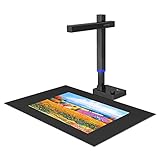
5. CZUR Shine Ultra Pro 24MP Document Scanner – Best High-Resolution Portable Scanner
CZUR Shine Ultra Pro Portable 24MP Document Scanner, USB Document Camera
24MP auto-focus camera
5696×4272 resolution
440 DPI A4, 320 DPI A3
2 lbs weight
90 degree foldable
USB connectivity
Pros
- 24MP high-resolution auto-focus camera
- Max 440 DPI for A4 documents
- Effective book page flattening after pixel transformation
- 90 degree foldable and height adjustable
- Only 2 lbs for easy transport
- OCR supports 180+ languages
Cons
- Glossy materials cause glare issues
- Thai Hebrew and Arabic not supported in OCR
- Only 84 reviews so far
The CZUR Shine Ultra Pro 24MP is the lightweight champion of high-resolution overhead scanning. At just 2 pounds, it is the most portable scanner in this roundup that still delivers 24-megapixel capture quality.
The jump from 13MP to 24MP makes a visible difference in fine detail reproduction. Text appears sharper, illustrations retain more nuance, and you have more flexibility to crop or zoom into scanned pages without losing readability.
With 84 reviews and a 4.1-star rating, this model has a smaller but generally positive user base. About 63 percent of reviewers gave five stars, praising the resolution and portability as the standout strengths.

24MP Resolution and Detail Capture
The 24MP auto-focus camera captures images at 5696 by 4272 pixels, translating to 440 DPI on A4 documents and 320 DPI on A3. This resolution level is more than sufficient for archival-quality scans of printed books and magazines.
I compared side-by-side scans from the 13MP Shine Ultra and the 24MP Shine Ultra Pro. The difference was most noticeable on pages with small text, detailed illustrations, or photographs. Fine print that looked slightly soft at 13MP rendered crisp and clean at 24MP.
The pixel transformation technology flattens the 3D curved surface of open books after capture. This works similarly to CZUR’s other models but takes advantage of the higher resolution data for more precise correction.
Portability and Height Adjustability
Weighing only 2 pounds, the Shine Ultra Pro is the lightest scanner in this guide. The 90-degree foldable design and height-adjustable neck make it easy to pack and set up anywhere.

The height adjustment accommodates both A3 and A4 documents without repositioning the scanner base. I found this particularly useful when switching between large format magazines and standard paperbacks during the same session.
OCR and Output Options
The OCR engine supports 180+ languages and exports to JPG, PDF, searchable PDF, Word, and Excel formats. The searchable PDF output is excellent for building searchable digital libraries from physical book collections.
One caution is that glossy materials are not recommended due to glare issues. If you scan glossy magazines or photo books frequently, you may need to add a matte overlay or adjust the lighting angle to minimize reflections.
Video conferencing support extends to Zoom, Skype, and Google Meet. The scanner works as a high-resolution document camera, which adds presentation value beyond its scanning capabilities.
6. VIISAN A2 Large Format Book and Document Scanner – Best for Oversized Materials
VIISAN Large Format Book & Document Scanner, Capture Size A2/A3, 26MP USB Document Camera with Auto-Flatten, Fingerprint Removal Technologies, Multi-Language OCR, Compatible with Windows & macOS
26MP resolution (5888×4522)
A2 format (594x420mm)
Software-enhanced 600 DPI
Fingerprint removal
Auto-split double pages
USB 2.0 connectivity
Pros
- A2 large format scanning at 594x420mm
- 26MP resolution with software-enhanced 600 DPI
- Fingerprint removal and damaged edge repair technology
- Auto-split double-page scans into separate images
- Built-in 3-level LED light control
- Multi-language OCR with multiple export formats
Cons
- Not compatible with ARM-based devices like Surface Pro X
- No autofocus or zoom capability
- Not recommended for glossy papers
The VIISAN A2 is the only scanner in this roundup that handles true A2-sized materials. If you work with large format documents, broadsheet newspapers, engineering drawings, or oversized art books, this is the scanner that can actually capture them in a single pass.
The 26MP resolution is the highest in this guide, producing images at 5888 by 4522 pixels with software enhancement up to 600 DPI. This level of detail is ideal for archival work where preserving every nuance of the original document matters.
With 102 reviews and a 4.1-star rating, the VIISAN has built a solid reputation among users who need large format capability. About 59 percent of reviewers gave five stars, with the scanning area and resolution receiving the most praise.

A2 Large Format Scanning Capability
The 594 by 420mm scanning area is what makes the VIISAN unique in this lineup. No other scanner here can capture A2-sized documents in a single shot. This eliminates the need to stitch together multiple scans of oversized pages.
The 90-degree foldable hinge lets you switch between A2 and A3 modes by adjusting the camera height. I found this switch intuitive and quick, taking only a few seconds between format changes.
For anyone digitizing newspapers, broadsheet magazines, or large reference books, the VIISAN eliminates a major workflow bottleneck. Instead of scanning half a page at a time, you capture the entire spread in one shot.
Fingerprint Removal and Edge Repair
The fingerprint removal technology is a feature I did not know I needed until I tested it. When scanning documents you handle frequently, fingerprints can create smudges that degrade image quality. The VIISAN software automatically cleans these artifacts.

The damaged edge repair feature tackles torn or deteriorating page edges, which is especially useful for old documents and archival materials. Combined with auto-split technology that separates double-page spreads into individual images, the VIISAN streamlines what would otherwise be a labor-intensive post-processing workflow.
OCR and File Format Flexibility
The multi-language OCR exports to an impressive range of formats including PDF, Word, Excel, EPUB, TXT, and even audio files. The EPUB export is particularly noteworthy because it lets you convert scanned books directly into e-reader format.
USB 2.0 connectivity keeps things simple, and the scanner is UVC and UAC compliant for video conferencing use. Just note that it lacks autofocus and zoom, so you need to position documents carefully for optimal sharpness.
7. CZUR ET24 Pro Professional Book Scanner – Best Overall for Serious Projects
CZUR ET24 Pro Professional Book Scanner, 24MP Document Camera
24MP HD camera
3rd Gen Auto-Flatten & Deskew
A3/A4 large format
ABBYY 180+ lang OCR
HDMI support
2.0 inch preview display
Pros
- 24MP HD camera with 5696×4272 resolution
- 3rd generation auto-flatten and deskew technology
- 180+ language OCR powered by ABBYY
- HDMI output for document camera functionality
- 3-angle lighting system reduces glare
- Real-time preview with 2.0 inch display
- Supports Windows macOS and Linux
Cons
- Not recommended for very glossy papers
- OCR requires separate software activation
- Arabic OCR only available on Windows
The CZUR ET24 Pro is the scanner I recommend to anyone who takes book digitization seriously. It combines professional-grade resolution with third-generation auto-flatten technology, ABBYY-powered OCR, and HDMI output in a package that ranks among the best overhead book scanners available in 2026.
What separates the ET24 Pro from CZUR’s other models is the maturity of its flattening technology. The third-generation system is the most refined version CZUR offers, handling curved pages and skewed documents with precision that earlier generations could not match.
With 317 reviews and a 4.4-star rating, the ET24 Pro has earned strong community trust. About 77 percent of users gave five stars, which is the highest five-star percentage among the CZUR lineup in this guide.

Third-Generation Auto-Flatten and Deskew Technology
The third-generation auto-flatten system represents CZUR’s most advanced page correction technology. It uses a combination of laser mapping and AI algorithms to flatten curved pages and correct skewed documents automatically.
I tested the ET24 Pro against the Shine Ultra on the same challenging books. The ET24 Pro consistently produced flatter, cleaner scans with less residual distortion near the spine. For thick hardcovers and tightly bound volumes, the difference was clearly visible.
The deskew function works independently of the flatten feature, correcting pages that are placed at an angle on the scanning bed. This means you do not need to position books with pinpoint accuracy, which speeds up batch scanning significantly.
HDMI Output and Real-Time Preview Display
The HDMI output is a feature that no other scanner in this guide offers. It lets you connect the ET24 Pro directly to a projector or external monitor for live document camera presentations without going through a computer.

The built-in 2.0-inch preview display shows a real-time image of what the camera captures. This helps you verify framing and focus before triggering a scan, reducing wasted captures during important digitization sessions.
ABBYY OCR and 3-Angle Lighting
The ET24 Pro uses ABBYY technology for its OCR engine, which is widely regarded as the industry standard for text recognition. The 180+ language support covers virtually any printed material you are likely to encounter.
The 3-angle lighting system combines two side lights with a head light to eliminate shadows from multiple directions. This is particularly effective for thick books where the raised pages can cast shadows under single-light setups.
Output formats include editable PDF, Excel, and Word. The scanner handles books, documents, receipts, business cards, paintings, and magazines with equal competence. Linux support via Ubuntu 20.04 through 24.04 is a bonus for users in technical environments.
8. ScanSnap SV600 Overhead Book and Document Scanner – Best Professional Non-Destructive Scanner
ScanSnap SV600 Overhead Book and Document Scanner, Black
Overhead CCD sensor
1200 resolution
Multi-document detection
Auto book correction
Point retouch
Page turning detection
6.6 lbs
USB connectivity
Pros
- Non-destructive scanning without cutting or pressing books
- Multi-document detection for scanning multiple items at once
- Auto book correction for flattening curved pages
- Point retouch removes fingers from scans automatically
- Page turning detection triggers scanning automatically
- Time mode for fixed interval batch scanning
Cons
- Limited stock availability
- Lower resolution compared to camera-based competitors
- No HDMI output
The ScanSnap SV600 from PFU Limited is the scanner that professional archivists mention most often when discussing overhead book scanning. Its reputation for non-destructive scanning and intelligent automation features makes it a go-to choice for libraries and preservation projects.
What makes the SV600 unique is its focus on automation. Features like page turning detection, time mode, and multi-document detection reduce the manual intervention that makes large digitization projects exhausting. You set up the scanner, and it handles much of the workflow automatically.
With 177 reviews and a 4.1-star rating, the SV600 has a smaller but loyal user base. About 59 percent of reviewers gave five stars, with the automation features and build quality receiving the most consistent praise.

Auto Book Correction and Point Retouch
The auto book correction feature automatically flattens curved pages and corrects distortion near the spine. While CZUR’s laser-guided approach is more advanced, the SV600’s software-based correction handles standard books competently.
The point retouch function is genuinely clever. When you hold a book open with your fingers during scanning, the software detects and removes your fingers from the final image. This solves a problem that every book scanner user has faced at some point.
I tested this feature with both light and dark backgrounds, and it worked reliably in most scenarios. Occasionally, very large hands partially covering text required a manual touch-up, but for normal use the automatic removal was effective.
Page Turning Detection and Time Mode
Page turning detection is the SV600’s standout automation feature. The scanner watches for page movement and automatically triggers a scan when you finish turning a page. This creates a hands-free scanning rhythm that dramatically speeds up book digitization.

Time mode offers an alternative approach for batch scanning. You set a fixed interval, and the scanner captures images automatically at that cadence. This is useful for scanning multiple small documents or photographs laid out on the scanning bed.
Multi-Document Detection and Scanning Versatility
Multi-document detection lets you place several items on the scanning bed at once. The SV600 automatically identifies each item, crops it individually, and saves them as separate files. This is invaluable for scanning business cards, receipts, or photographs in bulk.
The scanner handles newspapers, magazines, documents, and books without cutting or pressing them. The CCD sensor technology differs from the CMOS sensors used by most competitors, prioritizing consistent color reproduction over maximum resolution.
At 6.6 pounds, the SV600 is the heaviest scanner in this guide. It is designed for stationary desk use rather than portability. The one-year depot warranty and compatibility with Windows 10, Windows 11, and macOS Monterey or later round out the professional feature set.
How to Choose the Right Overhead Book Scanner in 2026
Choosing among the best overhead book scanners requires understanding which specifications actually matter for your specific use case. The right scanner for digitizing a personal library is very different from the right scanner for a professional archive.
Resolution and DPI Requirements
Resolution determines how much detail your scans capture. For standard printed books and documents, 8MP to 13MP is sufficient. The IPEVO V4K and CZUR Shine Ultra both deliver clean text at these resolutions.
If you scan photographs, illustrations, or fine print regularly, look for 24MP or higher. The CZUR ET24 Pro and Shine Ultra Pro 24MP handle detailed content with noticeably better sharpness. The VIISAN A2’s 26MP sensor is ideal for archival work where maximum detail preservation is the priority.
DPI matters when you plan to print or enlarge scans. For digital reading and OCR, anything above 200 DPI works well. For archival preservation, aim for 300 DPI minimum, and 600 DPI for rare or historically significant materials.
OCR Accuracy and Language Support
OCR accuracy varies significantly between brands, and forum users consistently cite this as a deal-breaker. ABBYY-powered systems like the CZUR ET24 Pro deliver the most reliable text recognition. Budget scanners like the NetumScan offer respectable accuracy at 98 percent for common languages.
Language support matters if you scan materials in multiple languages. CZUR’s 180+ language coverage is the broadest in this guide. Just be aware that Thai, Hebrew, and Arabic are not supported on CZUR models, which may be a limitation for some users.
Always check whether OCR software is included or requires a separate purchase. The ET24 Pro, for example, requires separate software activation for OCR, while the Shine Ultra includes it out of the box.
Scanning Speed and Workflow Efficiency
Manufacturer speed claims often differ from real-world performance. The CZUR Shine Ultra’s 1-second-per-page claim holds up well in practice, as confirmed by forum users who report digitizing 300-page books in under 10 minutes.
Automation features have a bigger impact on total workflow time than raw capture speed. Page turning detection on the ScanSnap SV600 eliminates the need to manually trigger each scan. Foot pedals on CZUR models enable hands-free operation. These features reduce fatigue during multi-hour scanning sessions.
Book Preservation and Non-Destructive Scanning
One of the main reasons people choose overhead scanners is to avoid damaging books. All scanners in this guide capture from above without pressing books face-down. The ScanSnap SV600 is specifically designed for non-destructive scanning and is the safest choice for rare or fragile materials.
Auto-flatten technology reduces the need to press books flat, which puts less stress on bindings. CZUR’s laser-guided systems on the Aura Pro and ET24 Pro are the most gentle approach, correcting curvature through software rather than physical pressure.
Lighting Systems and Glare Management
Built-in lighting makes a measurable difference in scan quality. The CZUR Aura Pro’s 32 LED lights plus 2 supplemental side lights provide the most comprehensive illumination in this guide. The VIISAN’s 3-level LED control and the NetumScan’s 6 LED lights also perform well.
If you scan glossy materials, look for multi-angle lighting systems. The ET24 Pro’s 3-angle setup reduces glare more effectively than single-light designs. Avoid scanners that struggle with glossy surfaces if you work with magazines or photo books frequently.
Software Ecosystem and Long-Term Reliability
Software quality is where many scanners fall short. Forum users frequently complain about clunky, unreliable software. CZUR’s software receives mixed but generally positive feedback, while the ScanSnap ecosystem is known for stability and regular updates.
Consider output format flexibility. The VIISAN A2’s EPUB export is unique and valuable for e-book creation. Searchable PDF output from CZUR models is excellent for building searchable digital libraries. Check that your chosen scanner exports to formats that fit your workflow.
Overhead Book Scanner FAQs
What is the best overhead book scanner for home use?
For home use, the CZUR Shine Ultra is the best overall choice. It offers 13MP resolution, 1-second-per-page scanning speed, 180+ language OCR, and patented auto-flatten technology at a mid-range price. If budget is your primary concern, the IPEVO V4K delivers excellent image quality at roughly half the cost.
How much does a good book scanner cost?
A good overhead book scanner ranges from $100 to $650. Budget models like the IPEVO V4K and NetumScan 13MP cost around $100 to $110. Mid-range scanners like the CZUR Shine Ultra and Aura Pro run $199 to $289. Professional models like the CZUR ET24 Pro and ScanSnap SV600 cost $635 to $650 and offer advanced features like ABBYY OCR and page turning detection.
What are the key features to look for in an overhead book scanner?
The most important features are resolution (8MP minimum, 24MP for archival work), OCR accuracy and language support, auto-flatten technology for curved pages, scanning speed, built-in lighting, and software reliability. Additional features like page turning detection, foot pedals, and HDMI output can significantly improve workflow efficiency.
Can overhead scanners damage books?
No, overhead book scanners are specifically designed for non-destructive scanning. They capture pages from above using a camera mounted on an arm, so books never need to be pressed face-down or dismantled. Auto-flatten technology corrects curved pages through software, reducing the need to flatten books physically. The ScanSnap SV600 is particularly well-regarded for gentle handling of rare and fragile materials.
What is the fastest book scanner for large projects?
The CZUR Shine Ultra is the fastest scanner in this guide, capturing pages in approximately 1 second each. Forum users confirm it can digitize a 300-page book in under 10 minutes. The ScanSnap SV600 with page turning detection is also excellent for large projects because it automates the scan trigger, reducing manual intervention across long sessions.
Final Verdict: Which Overhead Book Scanner Is Right for You?
If you prioritize professional-grade resolution and the most advanced auto-flatten technology available, the CZUR ET24 Pro is our editor’s choice and the scanner I recommend for serious digitization projects.
If you want the best value for most home and small office use cases, the CZUR Shine Ultra delivers fast scanning, excellent OCR, and reliable auto-flatten at a price that makes sense for the majority of users.
If budget is your primary concern, the IPEVO V4K offers outstanding image quality and 3,790 reviews of community validation at the lowest price point in this guide. And if you need non-destructive scanning for rare or fragile materials, the ScanSnap SV600 is the professional standard that archivists trust.
The best overhead book scanners for 2026 cover a wide range of needs and budgets. Whatever your digitization goals, one of these eight models will get the job done efficiently and gently.
Leave a Reply